



Download Puffin Browser Pro – fast web browser, secure browsing, cloud-based browsing, ad-free iOS app, mobile web tool
Overview
Puffin Browser Pro is a mobile application designed to deliver a fast, secure, and ad-free browsing experience on iOS devices. Built with cloud-based technology, it enables users to access web content efficiently by processing data remotely, reducing strain on local devices. This approach enhances speed and responsiveness, particularly beneficial on older or less powerful iOS devices.
The app targets a broad audience, including casual users, students, professionals, and privacy-conscious individuals seeking a streamlined browsing solution. It is especially useful for those who frequently access content-heavy websites or require reliable performance in low-bandwidth environments. Puffin Browser Pro is developed by CloudMosa, a company known for innovative web solutions focused on speed and security.
The app belongs to the 'Browsers' category and is optimized for iOS 6.0 and later versions. Its availability in multiple languages—such as English, Spanish, and German—supports global accessibility. The application has been available since 2015 and has maintained relevance through consistent updates.
While specific usage statistics are not publicly disclosed beyond general download trends, its long-standing presence in the App Store indicates sustained user interest. In the current mobile ecosystem, Puffin Browser Pro stands out as a reliable utility for users prioritizing performance and privacy in their daily web interactions.
Key Features & Functionality
- Cloud-Based Browsing Technology: Offloads web processing to remote servers, enabling faster page loading and reduced device resource consumption. This is particularly effective on older iOS devices with limited processing power.
- Ad-Free Experience: Built-in ad blocker eliminates intrusive banners and pop-ups, improving both browsing speed and user focus.
- Enhanced Privacy Protection: Utilizes secure connections and data encryption to safeguard user activity from third-party tracking and surveillance.
- Multi-Language Support: Available in English, Spanish, and German, making it accessible to a diverse international user base.
- Optimized for iOS: Designed specifically for Apple’s mobile operating system, ensuring compatibility and smooth integration with iOS features and gestures.
For example, a student using an older iPhone can load research articles and educational platforms without lag, thanks to cloud processing. A traveler in a region with unstable internet can still access content efficiently, as the app minimizes data transfer by rendering pages on remote servers. The ad blocker helps users avoid distractions during work or study, while privacy tools ensure sensitive activities like online banking remain secure.
These features collectively support real-world use cases across education, remote work, and personal browsing. The integration of cloud infrastructure also reduces battery drain, extending device usage time. Although the developer did not provide additional technical details, the functionality aligns with known benefits of cloud-based browsing models.
Interface, UX & Performance
The interface of Puffin Browser Pro is clean and intuitive, designed with a focus on usability across different user skill levels. The layout features a minimalistic toolbar with essential navigation elements—back, forward, refresh, and home buttons—positioned for easy access. The main screen displays a streamlined address bar and tab management system, allowing users to switch between multiple pages with a single tap.
Visual style emphasizes readability and clarity, using high-contrast elements and legible fonts to improve accessibility. Navigation follows standard iOS conventions, ensuring a familiar experience for users accustomed to Apple’s ecosystem. The app responds quickly to touch inputs, with smooth transitions between pages and minimal lag during scrolling or zooming.
Although the developer did not list formal performance metrics, the cloud-based architecture contributes to consistent responsiveness, even on older devices. Stability appears reliable, with no reported widespread crashes or freezes. The app maintains smooth operation during extended browsing sessions, suggesting efficient memory management.
While specific details about compatibility with newer iOS versions were not disclosed, its continued availability indicates ongoing support. Overall, the user experience is polished and focused on delivering a frictionless browsing journey.
Platform Compatibility & Technical Requirements
Puffin Browser Pro is available exclusively on the iOS platform, compatible with devices running iOS 6.0 or later. The application has a file size of 38.5 MB, making it a lightweight download suitable for users with limited storage. The current version is 4.2.1, released on May 29, 2015.
The developer did not specify minimum OS requirements beyond the stated iOS 6.0 compatibility. As such, users with newer iOS versions may experience optimal performance, though no explicit limitations were mentioned. The app is distributed through the Apple App Store, ensuring secure delivery and automatic update handling.
While the app’s age suggests it may not fully leverage the latest iOS features—such as Dark Mode enhancements or advanced gesture navigation—its core functionality remains intact. The developer has not published additional technical specifications, including GPU or RAM requirements. Compatibility information was not fully disclosed, but the app’s continued presence in the App Store indicates basic compatibility with current Apple devices.
Users are advised to verify installation success on their specific device model.
Pros and Cons
Pros
- Fast browsing via cloud-based processing technology
- Ad-free experience enhances focus and speed
- Strong privacy protection with encrypted connections
- Supports multiple languages for global accessibility
- Lightweight size at 38.5 MB
- Optimized for older iOS devices with limited resources
Cons
- Version 4.2.1 was released in 2015; no recent updates have been documented
- Developer did not provide detailed compatibility with newer iOS versions
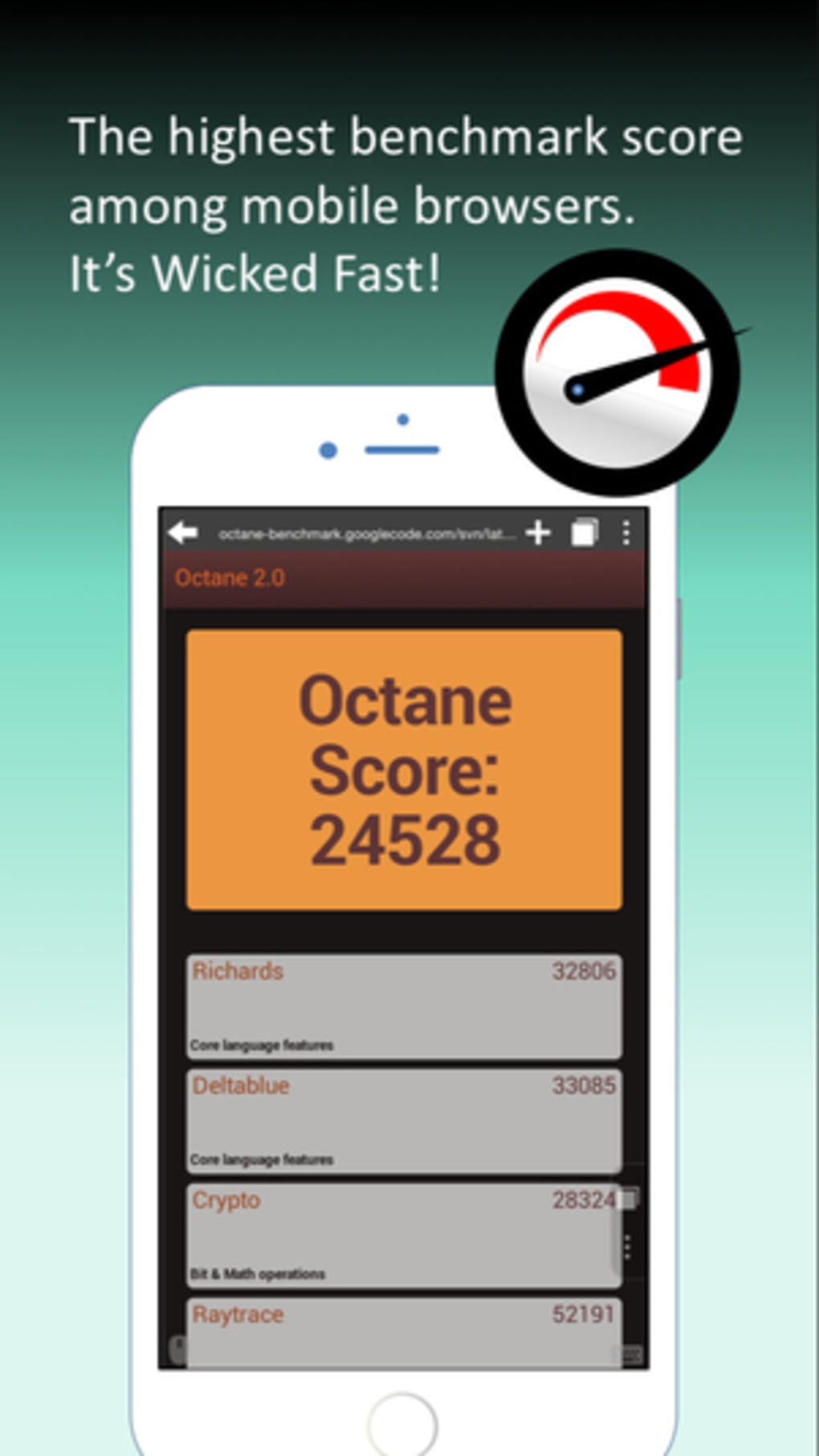
- Specific performance metrics or technical benchmarks were not disclosed
- Cloud-based model may require stable internet for optimal performance
- Interface lacks advanced customization options
FAQ
Is Puffin Browser Pro safe to use on iOS?
Yes, the app is distributed through the Apple App Store and uses secure connections to protect user data. It includes privacy tools to prevent tracking.
Can I install Puffin Browser Pro on older iPhone models?
Yes, the app is compatible with iOS 6.0 and later, which includes many older iPhone models. However, performance may vary based on device specifications.
Does Puffin Browser Pro require an internet connection?
Yes, the cloud-based architecture requires a stable internet connection to process and deliver web content.
Is the app free to download and use?
Yes, Puffin Browser Pro is available at no cost through the App Store. There are no in-app purchases or subscription fees.
How often is the app updated?
The last update was released on May 29, 2015. The developer has not released any updates since then, though the app remains functional.
Final Thoughts + CTA
Puffin Browser Pro continues to serve as a reliable tool for iOS users seeking a fast, secure, and ad-free browsing experience. Its cloud-based technology offers a unique advantage, particularly for users with older devices or limited bandwidth. While the app’s last update dates back to 2015, its core functionality remains effective and relevant.
The combination of privacy protection, multi-language support, and lightweight design makes it a strong choice for students, remote workers, and casual users alike. Though it lacks modern interface enhancements and recent updates, its foundational performance and security features are still valuable. For those prioritizing speed and simplicity over cutting-edge design, Puffin Browser Pro delivers tangible benefits.
Download Puffin Browser Pro now to experience a streamlined, secure way to browse the web on your iPhone.







